Tabbed Lua executor
Write across multiple editor tabs, then execute, clear, save, open, or attach from one toolbar.
 Proton
Download v2.2
Proton
Download v2.2
Proton brings a fast, focused desktop experience to Windows. Lightweight by design and ready when you are.
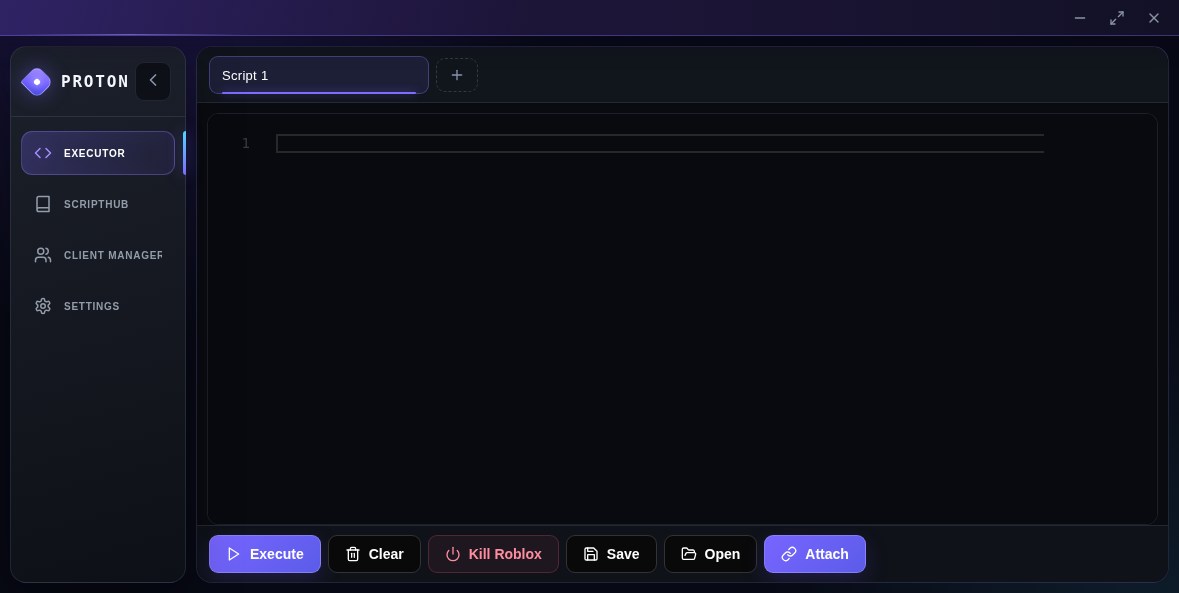
A streamlined desktop tool with a clean interface and a workflow that stays out of your way.
Write across multiple editor tabs, then execute, clear, save, open, or attach from one toolbar.
Search and filter ScriptBlox, copy scripts, open them in a new tab, or execute directly.
See available clients, review their status, and choose exactly where a script should run.
Download the standalone app and open it directly—no lengthy setup process required.
Get the latest Windows build. Your download starts directly—no account or sign-up needed.
Download for WindowsProton v2.2Having trouble? Retry the download
A 64-bit PC running Windows 10 or Windows 11. Proton is distributed as a standalone executable, so there is no traditional installation flow.
Windows may ask you to confirm apps downloaded from the internet, especially standalone executables. Verify the file name and checksum shown above before opening it.
Compare the file’s SHA-256 checksum with the value in the release card. In PowerShell, run Get-FileHash '.\Proton v2.2.exe'.
Your browser normally saves Proton v2.2 to your Downloads folder. You can also choose another location if your browser asks where to save it.
Download Proton v2.2 and get started.
Download for WindowsProton v2.2